Direct-to-Garment (DTG) printing has transformed the custom apparel industry. From print-on-demand startups to large-scale garment manufacturers, DTG printers enable businesses to produce vibrant, full-color designs directly on fabric with exceptional detail and flexibility.
Unlike traditional screen printing, DTG technology allows for short runs, personalized designs, and unlimited color combinations without the need for screens or setup costs. However, achieving consistent results requires more than just owning a high-quality printer—it requires proper maintenance.
A DTG printer is a precision machine that depends on delicate components such as printheads, ink delivery systems, capping stations, and software calibration. Without regular care, issues like clogged nozzles, color inconsistency, and costly downtime can quickly impact productivity and profitability.
In this guide, we’ll cover everything you need to know about DTG printer maintenance, including daily cleaning routines, white ink management, preventive maintenance strategies, and common mistakes to avoid.
Understanding How a DTG Printer Works
Before discussing maintenance, it helps to understand the basics of DTG printing technology.
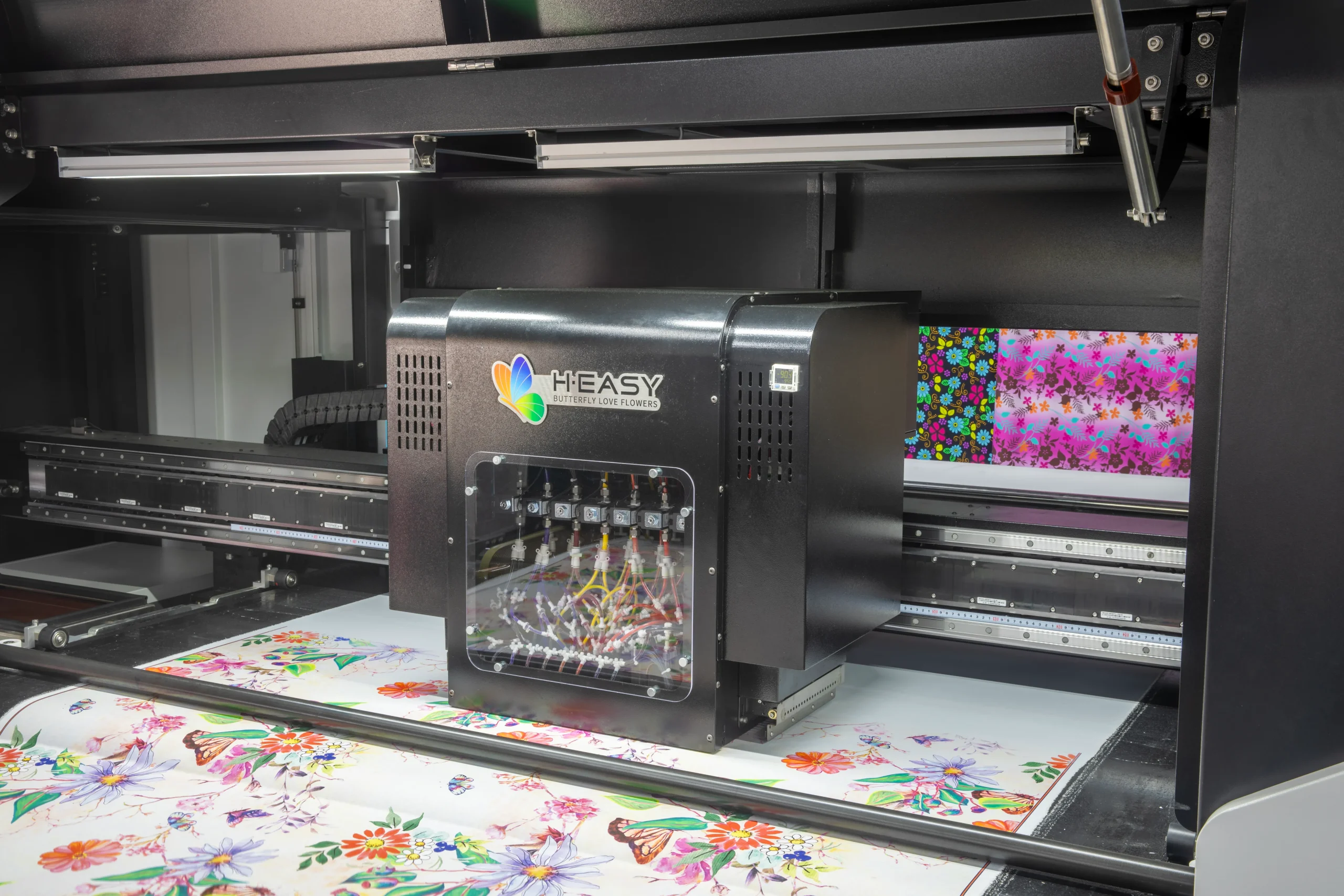
DTG printers use water-based textile inks that are sprayed directly onto garments through microscopic nozzles inside the printhead. To achieve accurate color reproduction and smooth gradients, every component in the printing system must operate correctly.
A typical DTG printer includes:
- Precision printheads
- Ink circulation and delivery systems
- Dampers and filters
- Capping stations and wiper blades
- Garment platens
- RIP software and color management systems
Because these components work together in a highly controlled environment, even small amounts of dried ink, dust, or lint can affect print quality.
Why Regular DTG Printer Maintenance Is Essential
Many DTG printing issues don’t occur suddenly—they develop gradually over time.
When maintenance is neglected, printers may experience:
- Clogged nozzles
- Missing colors
- Banding and streaking
- Ink flow interruptions
- White ink sediment buildup
- Reduced printhead lifespan
- Unexpected machine downtime
Preventive maintenance helps avoid these problems before they affect production.
Key Benefits of Regular Maintenance
1. Consistent Print Quality
Clean printheads and stable ink flow ensure:
- Accurate color reproduction
- Smooth gradients
- Sharp image details
- Reduced banding and missing lines
Consistent print quality leads to higher customer satisfaction and fewer reprints.
2. Extended Printhead Life
The printhead is typically the most expensive component in a DTG printer.
Routine maintenance helps prevent:
- Nozzle blockages
- Ink buildup
- Electrical damage caused by dry firing
This can significantly extend the life of the printhead.
3. Reduced Downtime
Unexpected equipment failures can delay orders and disrupt production schedules.
Preventive maintenance minimizes breakdowns and keeps your workflow running smoothly.
4. Lower Operating Costs
Replacing printheads, dampers, or electronic components can be expensive.
Routine maintenance helps identify small issues before they become major repair costs.
5. Better Business Reputation
Reliable equipment produces reliable results.
When customers consistently receive high-quality prints on time, trust in your brand increases.
Daily DTG Printer Maintenance Checklist
Daily maintenance requires only a few minutes but provides the greatest protection against print quality issues.
Perform a Nozzle Check
Before beginning production each day:
- Run a nozzle test pattern
- Check for missing lines or colors
- Address issues immediately
Early detection prevents larger problems later.
Perform Light Cleaning If Needed
If nozzle issues appear, run a standard cleaning cycle.
Avoid excessive cleaning because:
- It wastes ink
- It increases waste ink accumulation
- It may shorten component life
Inspect the Capping Station
The capping station protects the printhead when the printer is idle.
Check that it is:
- Clean
- Properly sealed
- Moist and functional
A dry capping station can quickly lead to nozzle clogging.
Clean the Wiper Blade
The wiper blade removes excess ink from the printhead surface.
Ink buildup on the blade can cause:
- Ink smearing
- Nozzle contamination
- Poor print quality
Clean it regularly using approved cleaning materials.
Monitor Temperature and Humidity
Recommended operating conditions:
- Temperature: 68°F–82°F (20°C–28°C)
- Humidity: 45%–65%
Low humidity increases the risk of clogged nozzles, while excessive humidity may affect garment drying and curing.
Weekly DTG Printer Maintenance Tasks
Weekly maintenance focuses on deeper cleaning and system inspection.
Deep Clean Around the Printhead
Remove accumulated:
- Ink residue
- Dust
- Fabric lint
This helps maintain proper printhead performance.
Inspect the Ink Delivery System
Check:
- Ink tubes
- Dampers
- Filters
- Cartridges
Look for:
- Air bubbles
- Ink leaks
- Sediment buildup
Clean the Platen
Pretreatment overspray and garment fibers often accumulate on the platen.
Keeping the platen clean helps ensure:
- Accurate garment positioning
- Consistent print height
Verify RIP Software Settings
Ensure that:
- ICC profiles are correct
- Print queues operate properly
- Software settings remain optimized
Monthly and Preventive Maintenance
Monthly maintenance helps maintain long-term printer reliability.
Update Firmware and Software
Manufacturers regularly release updates that improve:
- Stability
- Performance
- Compatibility
- Bug fixes
Keeping software current helps maximize printer efficiency.
Perform Color Calibration
Over time, color output may drift.
Regular calibration ensures:
- Consistent brand colors
- Repeatable production results
- Accurate color matching
Inspect Mechanical Components
Check:
- Belts
- Motors
- Rails
- Encoders
Look for unusual noise, resistance, or wear.
Clean Cooling and Ventilation Systems
Dust accumulation can cause overheating and shorten the lifespan of electronic components.
White Ink Maintenance: The Most Critical DTG Maintenance Task
White ink is often responsible for the majority of DTG maintenance challenges.
Unlike CMYK inks, white ink contains heavy titanium dioxide pigments that naturally settle over time.
Without proper management, white ink can:
- Clog filters
- Block dampers
- Restrict ink flow
- Damage printheads
Best Practices for White Ink Maintenance
- Circulate white ink daily
- Shake cartridges when recommended
- Replace filters regularly
- Avoid extended printer inactivity
- Follow manufacturer maintenance procedures
Proper white ink management is one of the most effective ways to reduce service issues and extend printhead life.
Common DTG Maintenance Mistakes to Avoid
Many expensive repairs can be traced back to simple maintenance mistakes.
Avoid the following:
- Skipping daily nozzle checks
- Ignoring environmental conditions
- Using non-approved inks
- Using incompatible cleaning solutions
- Over-cleaning the printhead
- Allowing white ink to sit without circulation
- Waiting until problems appear before performing maintenance
Preventive care is always less expensive than reactive repairs.
When Should You Call a Professional Technician?
Some issues require expert diagnosis and repair.
Contact a qualified technician if:
- Print quality problems persist after cleaning
- Error messages repeatedly appear
- Ink leaks are detected
- Electrical components malfunction
- Printhead replacement is required
Regular professional inspections can also help identify hidden issues before they become costly failures.
Recommended DTG Maintenance Schedule
| Frequency | Maintenance Tasks |
|---|---|
| Daily | Nozzle check, light cleaning, capping station inspection |
| Weekly | Deep cleaning, ink system inspection, platen cleaning |
| Monthly | Color calibration, software updates, mechanical inspection |
| Quarterly | Preventive service and full system check |
| Annually | Comprehensive maintenance and component evaluation |
Keeping maintenance records can help track printer performance and identify recurring issues.
How Proper Maintenance Supports Business Growth
A reliable DTG printer is more than a production tool—it is a business asset.
Consistent maintenance helps businesses:
- Reduce waste
- Improve production efficiency
- Minimize downtime
- Extend equipment lifespan
- Increase customer satisfaction
- Improve profitability
In a competitive custom apparel market, operational reliability can become a major competitive advantage.
Conclusion
DTG printers offer unmatched flexibility and print quality for custom garment production, but their performance depends heavily on proper maintenance.
From daily nozzle checks and white ink management to periodic calibration and preventive servicing, every maintenance task contributes to better print quality, longer equipment life, and more reliable production.
By implementing a disciplined maintenance routine, you can protect your investment, reduce operating costs, and ensure your DTG printer remains a productive asset for years to come.